Natural Color Restoration Prompt
Our foundational template for standard black and white portraits. It balances vibrant colorization with historical authenticity by focusing on "natural skin tones" and period-matching environmental colors, so the AI never applies hyper-saturated, neon hues.
Natural Color Restoration (Original Improved)

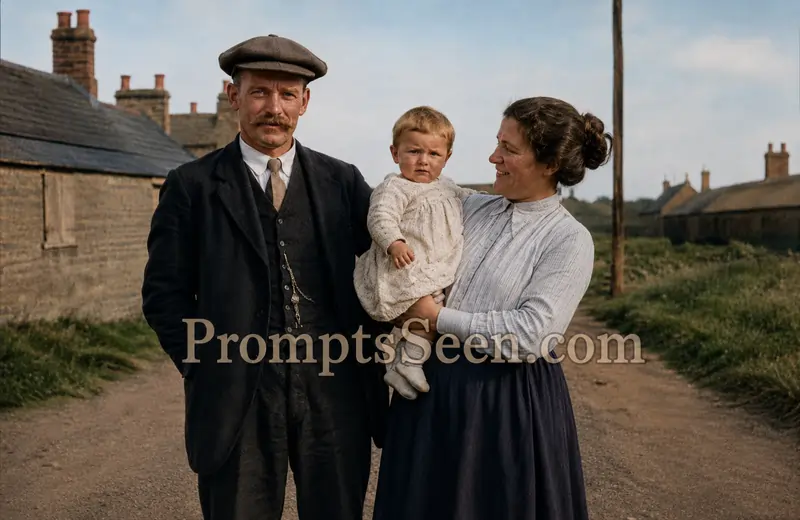
The picture above is the original one. (Original)
Use the uploaded reference photo to create a hyper-realistic scene featuring a premium 1/7 scale collectible figurine of the same person. The figurine stands on a crystal-clear round acrylic display base placed on a sleek computer desk. Beside the desk, the real-life version of the same person, wearing the exact same outfit as in the reference image, is carefully cleaning the miniature with a fine detailing brush. The studio is modern, brightly lit, filled with collectible figures displayed on illuminated shelves. Ultra-realistic textures, cinematic lighting, shallow depth of field, DSLR quality, premium commercial photography. Preserve the person's exact facial features, hairstyle, expression, clothing, and accessories.
Museum Quality Restoration Prompt
For severely damaged photos or large-format prints. This template makes the AI act as a digital conservator, prioritizing ultra-high fidelity so every pixel of restored fabric and skin is rendered with archival care.
Museum Quality Restoration
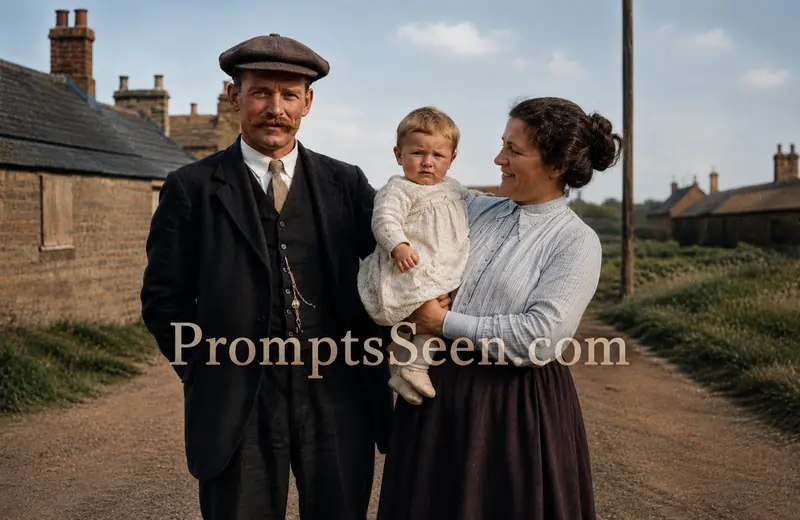
Ultra Realistic Restoration Prompt
For vintage photos shot under poor lighting. Beyond colorizing, this template reconstructs the ambient light to mimic a professional studio, so light falls naturally across the newly colorized features.
Ultra Realistic Studio Restoration
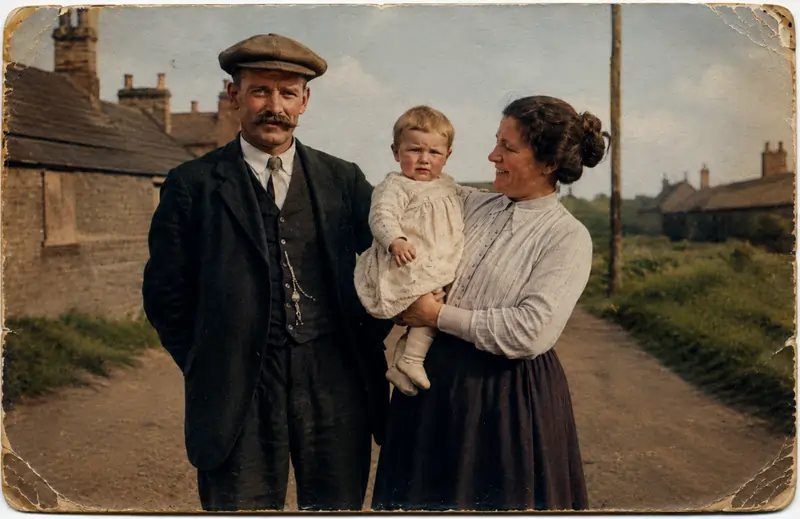
AI Restoration Without Changing Faces
The most important template for sentimental family portraits. The instruction "without changing the people in any way" blocks the AI's urge to beautify or modernize the subject, keeping the output a true historical record.
AI Restoration Without Changing Faces
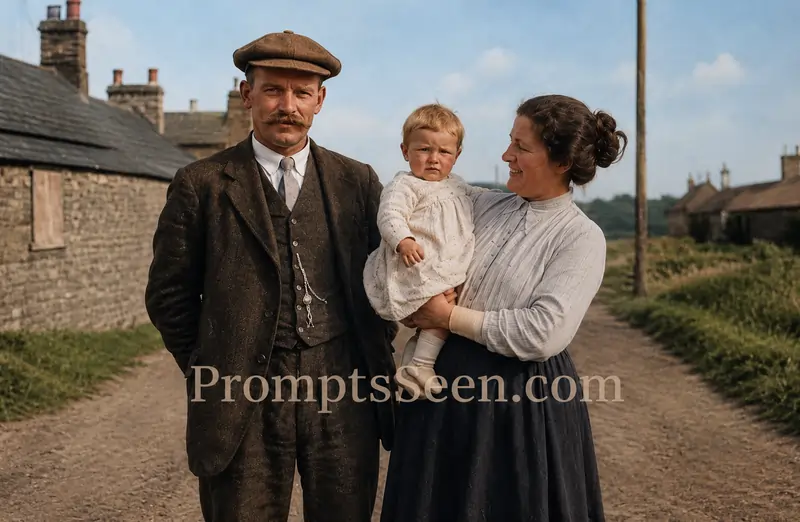
Premium Historical Restoration (Best)
The most complete prompt: 100% identity preservation, a specific list of damage to repair (tears, fading, low resolution), and color guidance for everything from skin tones to vegetation.
Premium Historical Restoration (Best)
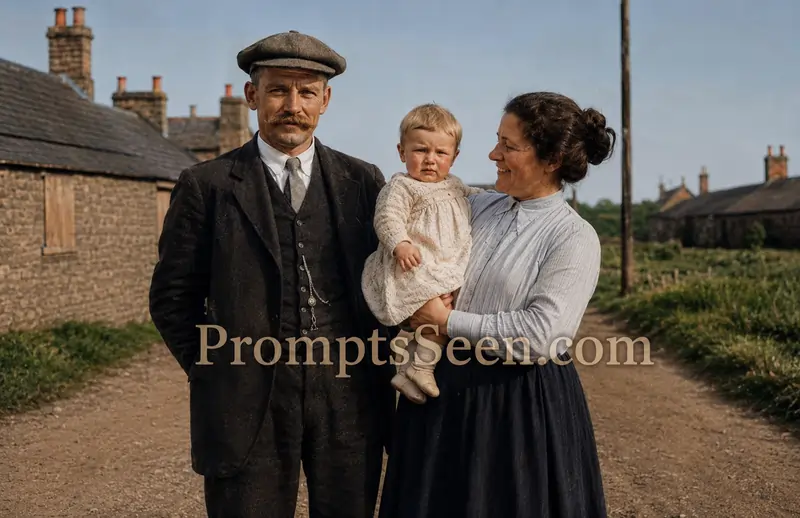
Essential Negative Prompt for Colorization
Paste this block into the negative prompt field if your tool has one. In a chat interface like Gemini, simply add it to the end of your main prompt so the engine knows which visual elements are forbidden.
Negative Prompt (Must Use)
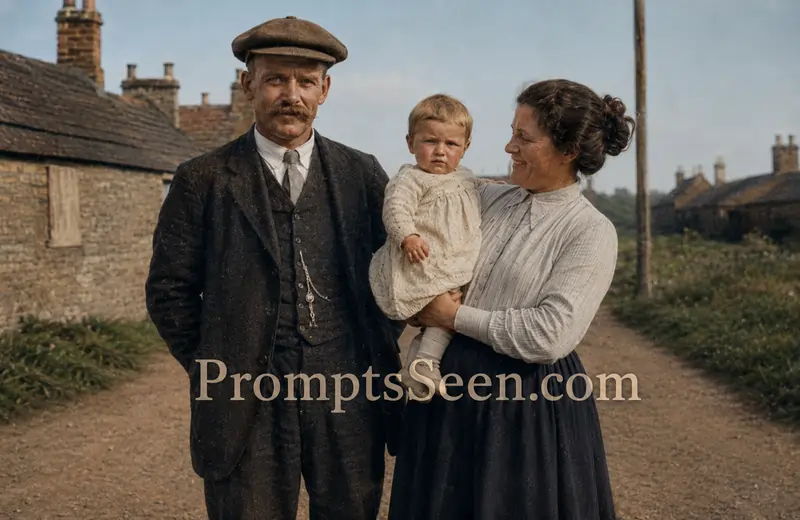
The Art of Historical Colorization
Black and white photos capture the soul of an era, but seeing a grandparent, a street scene, or a vintage wedding in lifelike color turns a distant memory into something real. Colorizing used to mean hours of manual painting in Photoshop; today Google Gemini and ChatGPT can apply period-accurate colors in seconds.
It is not a one-click job, though. Ask an AI to simply "add color" and it may hallucinate modern clothing, oversaturate the scene, or change the subject's face entirely. Structured prompts, like the ones below, set strict boundaries so the result is archival quality.
Combating Identity Drift in Vintage Photos
The biggest risk in AI restoration is "identity drift": models trained on modern, idealized faces tend to "fix" a grainy 1940s face by replacing it with a generic one. The cure is repetition. Our templates keep saying "preserve the exact facial identity, expression, wrinkles, and age" so the engine treats the original face as the highest-priority, untouchable data.
Preserving Film Grain and Authentic Textures
Asking the AI to make a photo "perfect" produces plastic, CGI-like skin with no film grain. A restored photograph should still look like a photograph. Use commands such as "maintain subtle vintage photographic texture" and "avoid artificial beauty filters or oversharpening" so the AI repairs tears, scratches, dust, and stains without sterilizing the organic warmth of the original film.
Pro Tip: The Importance of Negative Prompts
Telling the AI what not to do matters as much as what to do. A strong negative prompt (no CGI, no HDR look, no modern makeup) is the best safeguard against artificial contamination; an optimized one is included at the end of this guide.
Master Guide Overview
- The Art of Historical Colorization
- Combating Identity Drift in Vintage Photos
- Preserving Film Grain and Authentic Textures
- Natural Color Restoration Prompt
- Museum Quality Restoration Prompt
- Ultra Realistic Restoration Prompt
- AI Restoration Without Changing Faces
- Premium Historical Restoration (Best)
- Essential Negative Prompt for Colorization
- Frequently Asked Questions
PromptSeen AI के साथ जुड़ें
रोज़ नए वायरल AI प्रॉम्प्ट, सबसे पहले आपके पास
10. Frequently Asked Questions
Why does the AI change the face of my grandfather when I try to colorize an old photo?
This is known as identity drift. AI models are trained to generate 'perfect' faces. If you do not explicitly command the AI to preserve the exact facial structure and wrinkles, it will overwrite the original identity with a generic, idealized face.
What is the best way to prevent restored photos from looking like CGI or cartoons?
The key is preserving the film grain. Do not ask the AI to make the image 'ultra-smooth'. Instead, use commands like 'maintain subtle vintage photographic texture' and include strong negative prompts prohibiting 'CGI, artificial skin, and cartoon effect'.
Can AI accurately guess the original colors of historical clothing?
Advanced AI tools like Gemini and ChatGPT have massive historical datasets. By instructing them to apply 'historically accurate colors that match the time period', they can intelligently infer the correct dyes and fabric tones based on the visual context of the era.
How do I fix severe scratches and tears using these text prompts?
You must explicitly list the damages you want removed. Our templates specifically target 'scratches, dust, stains, tears, and fading'. The AI uses its inpainting logic to fill in these damaged pixels based on the surrounding contextual data.
Should I crop or resize my old photo before applying these prompts?
Yes. Before uploading the photo to the AI, use a standard scanner or scanning app to digitize it at the highest possible resolution (minimum 300 DPI). Crop out any physical white borders or scanner background, so the AI focuses entirely on the photographic subject.
How does a Negative Prompt work in photo restoration?
A negative prompt acts as a strict boundary. It explicitly tells the algorithm what to avoid generating. By inputting 'no modern clothing, no beauty filter, no face enhancement', you prevent the engine from adding unwanted modern aesthetics to a vintage portrait.