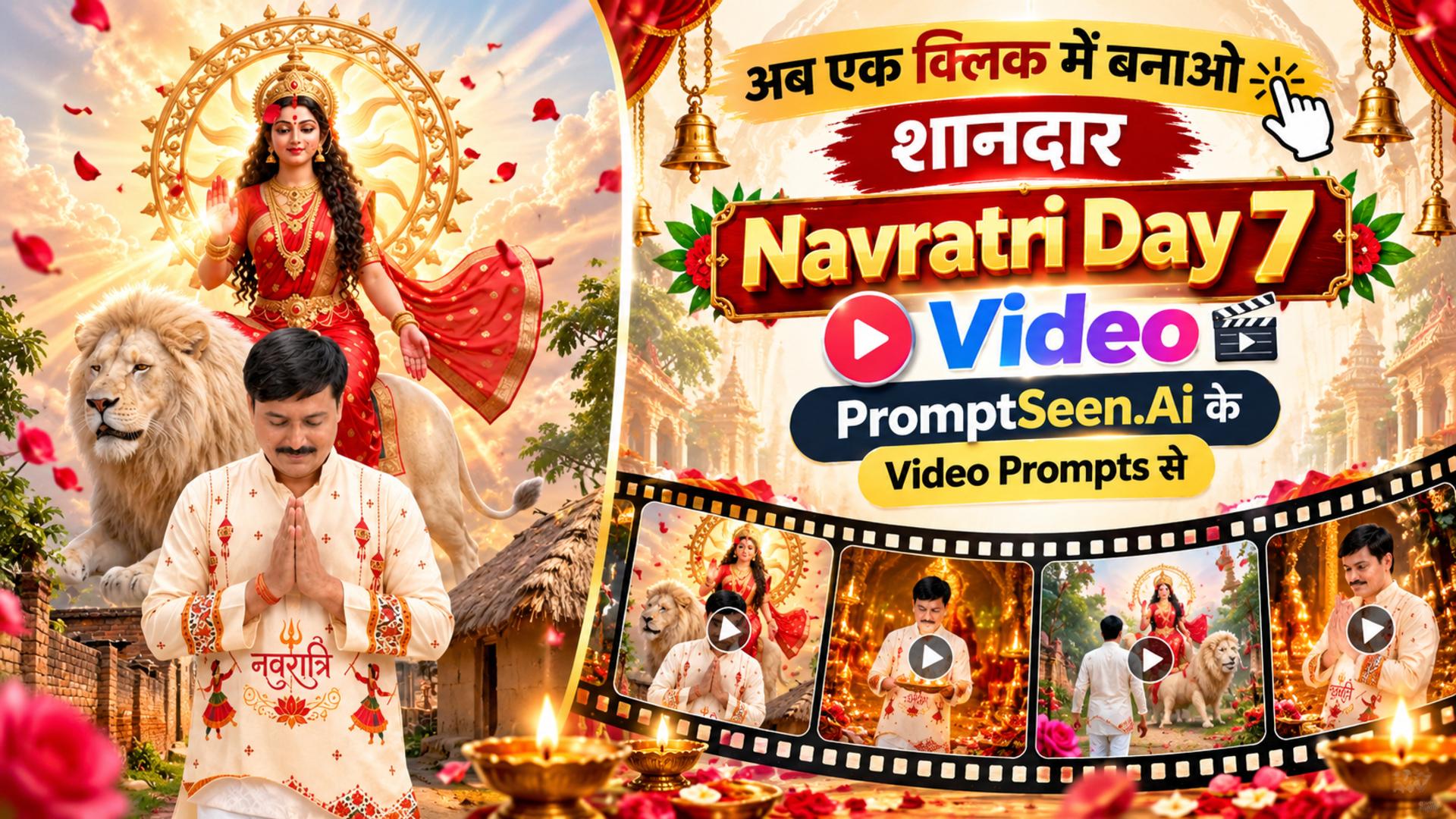
1. Demo Video : Navratri Day 7 Maa Kalaratri Video Prompt
Before you dive into generating your own reel, witness the immense power and 9:16 vertical fluidity achievable with our exact commands. This preview demonstrates the flawless synchronization of camera motion and divine aesthetic.
Step 1: Create a reference image using a reference prompt
Every breathtaking AI transition video prompt begins with a solid foundation. By first generating a high-quality base photo, you lock in the fashion details, facial features, and background atmosphere. Use the text prompt below to create the perfect 3:4 portrait.
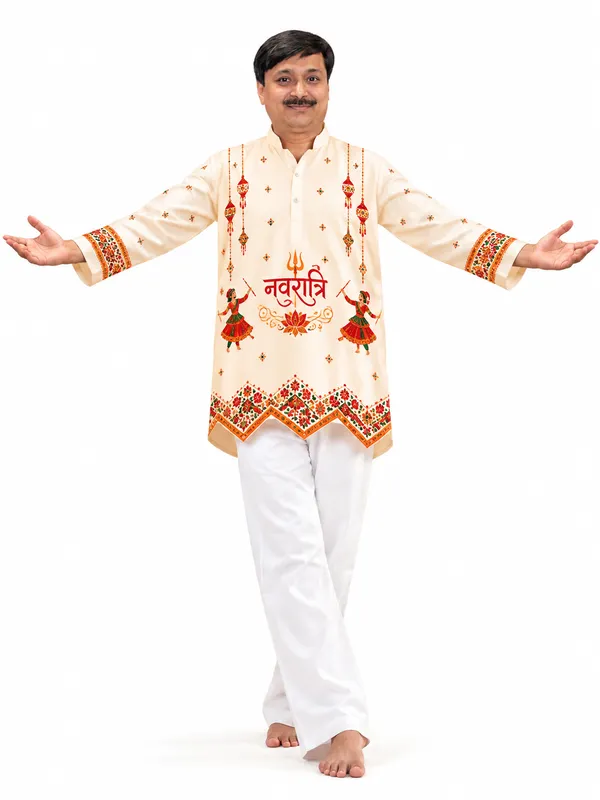
A full-body studio photo of a young Indian man with thick messy curly black hair and a light beard, standing barefoot with his arms stretched wide open to the sides, palms facing up, head tilted down with a calm, peaceful expression, one foot slightly crossed in front like a graceful dance pose. Outfit: a cream/off-white cotton short kurta with a mandarin collar and button placket, printed with a festive Navratri design — the word "नवरात्रि" in bold red Devanagari calligraphy at the center with a small golden trishul above it and a lotus with golden swirls below, two Garba dancers holding dandiya sticks in red and orange traditional dress on both sides, hanging red-and-gold bells and toran motifs from the shoulders, small red and green diamond motifs scattered across, a red-orange-green zigzag lotus border at the hem and matching embroidered borders on the sleeve cuffs. Plain straight-fit white cotton trousers. Background: plain pure white seamless studio background, soft even lighting, soft natural shadows. Style: photorealistic, highly detailed fabric texture, sharp focus, fashion catalogue look, festive Navratri vibe. Aspect ratio 3:4. Use the uploaded photo as the face reference — keep the man's face, facial features, hairstyle, beard and skin tone exactly the same as the photo; do not change or beautify his face. Show him in the following look:
Step 2: Paste the video prompt and Generate
Upload the image created from the reference (using Gemini, Flow, or any other platform), paste the video prompt, and click 'Generate'—that's it.
Table of Contents
- 1. Demo Video: Navratri Day 7 Maa Kalaratri Video Prompt
- 2. Step 1: Create a Reference Image
- 3. Step 2: Paste the Video Prompt and Generate
- 4. Introduction (About Navratri Day 7)
- 5. How to Use Video Prompts in Gemini and Veo
- 6. Negative Prompt for Video Tools
- 7. People Also Search For
- 8. FAQ – Navratri Day 7 Maa Kalaratri Video Prompt
Introduction (About Navratri Day 7 Maa Kalaratri Video Prompt)
Celebrate the divine and fierce energy of Goddess Durga with our exclusive navratri day 7 prompt. Learn how to transform your simple photos into a breathtaking cinematic reel using advanced AI video editing prompts.
Welcome to the digital devotion era! The seventh day of Navratri is devoted to Maa Kalaratri, renowned as the fiercest form of the Navdurga. This day represents the destruction of darkness, ignorance, and evil entities. As creators and devotees look to express their reverence on social media platforms, standard image editing is no longer enough. By utilizing a highly specific Maa Kalaratri AI video prompt, you can magically transform static devotion into a deeply cinematic, temporal masterpiece.
Generating a high-quality reel requires understanding how to guide modern AI engines like Google Veo and Luma Dream Machine. The secret behind a truly Maa Kalaratri realistic AI video is layering dynamic environmental factors—such as dramatic lighting, a glowing aura, and specific camera movements—into your commands. This specific Navratri AI video prompt is calibrated to capture the nighttime temple ambiance, maintaining strict temporal consistency so that the faces and traditional garments in your original photo do not morph or distort over time.
How to Use Video Prompts in Gemini and Veo
- Upload a photo of a couple to Google Gemini, Google Flow, or any other platform, enter our video prompt, set the aspect ratio to 9:16, and simply click 'Generate'—your video will be ready in just one minute.
- You can also check the instructions on how to use the video prompt below.
- If you have any questions, please comment on Facebook: Facebook : PromptSeen
Negative Prompt for distinct tools like Kling, Hailuo, and Pika:
People Also Search For
- Navratri day 7 prompt in english
- Prompt seen Navratri girl
- Navratri prompt for baby girl
- Navratri prompt boy
- Garba prompt for girl
- Prompt seen Durga Puja girl AI photo
- Navratri prompt for Gemini girl
- Prompt seen Garba look
PromptSeen AI के साथ जुड़ें
रोज़ नए वायरल AI प्रॉम्प्ट, सबसे पहले आपके पास