1. The Fascination with Miniature Collectibles
Collectors spend thousands on detailed 1/7 scale figurines of their favorite characters. Now, with AI toy photography, that premium collectible can be you. No 3D printer, paints, or modeling software needed, just the right miniature figure prompt.
But generative AI struggles with scale and materials: it often confuses a "small person" with a child, or renders plastic as human skin. The prompts below act as strict blueprints, dictating focal length, materials, and identity so the result looks like a museum-quality collectible.
1. Miniature Figure Workshop (Original Improved)
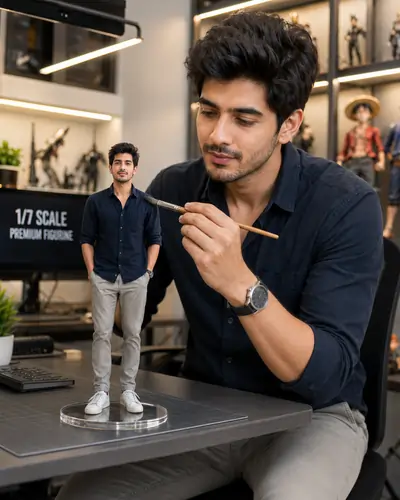
Use the uploaded reference photo to create a hyper-realistic scene featuring a premium 1/7 scale collectible figurine of the same person. The figurine stands on a crystal-clear round acrylic display base placed on a sleek computer desk. Beside the desk, the real-life version of the same person, wearing the exact same outfit as in the reference image, is carefully cleaning the miniature with a fine detailing brush. The studio is modern, brightly lit, filled with collectible figures displayed on illuminated shelves. Ultra-realistic textures, cinematic lighting, shallow depth of field, DSLR quality, premium commercial photography. Preserve the person's exact facial features, hairstyle, expression, clothing, and accessories.
2. Prompt Engineering: Mastering Macro Photography
To sell the illusion of a toy, the AI must shoot like a macro lens: sharp focus on the figurine, heavily blurred background. Without camera terms, the engine draws a normal-sized person on a giant desk instead of a tiny figure on a normal desk.
That is why our prompts repeat "shallow depth of field," "macro photography," "DSLR quality," and "tilt-shift photography." These are functional constraints that force creamy bokeh and keep the 1/7 scale figure as the focal point.
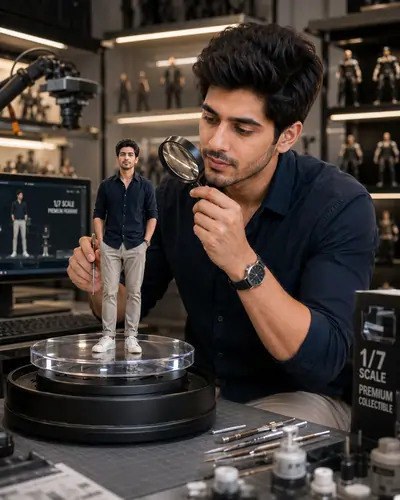
2. Toy Factory Inspection
3. Identity Lock: Preserving Facial Authenticity
A "mini-me" collectible fails if it does not look like you. AI tends toward "identity drift", replacing your facial geometry with generic, symmetrical faces. The fix is an "Identity Lock": use your platform's character reference feature (like --cref in Midjourney) and make the text prompt aggressively demand preservation.
The Power of Redundancy
Phrases like "Preserve the person's exact facial features, hairstyle, expression, clothing, and accessories" are repeated on purpose. This redundancy tells the AI that identity is the highest-priority rule, so it does not hallucinate a generic action-figure face.
3. Toy Photography Studio
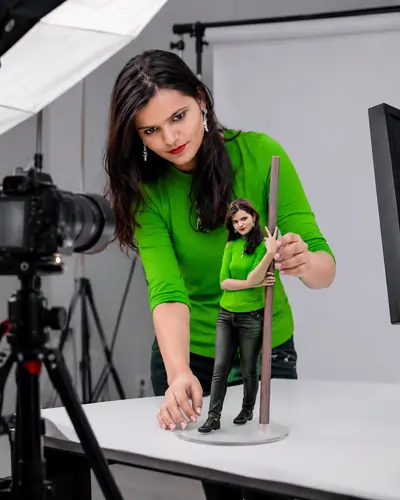
4. Rendering Materials: Acrylic, Resin, and Lighting
A figurine must look manufactured, not like flesh. Describing the mount, such as a "crystal-clear round acrylic display base", makes the AI render realistic refractions and shadows, while "cinematic lighting" or "museum-quality spotlights" add the glossy specular highlights that read as painted PVC or resin rather than skin.
4. Mini Museum Display
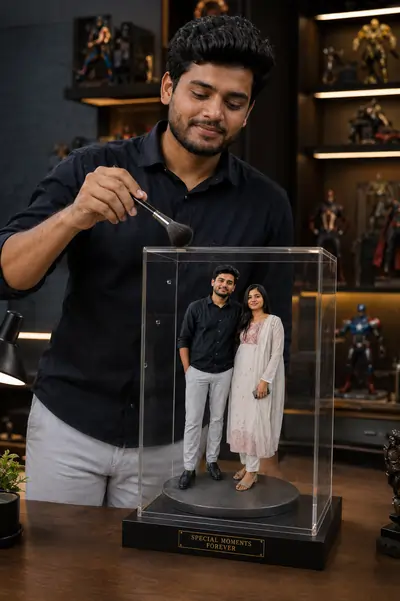
5. Avoiding Artificial Artifacts and Watermarks
AI models often hallucinate fake logos, text, or signatures on toys because they associate collectibles with branding. These artifacts make the image look cheap. Pair the templates with a negative prompt such as "watermarks, text, typography, logos, signatures" so the acrylic base stays clean.
5. Sci-Fi Hologram Workshop
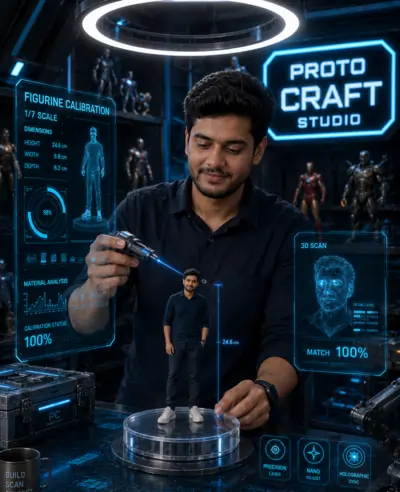
6. The Ultimate Miniature Figure Prompt Library
Each prompt below gives a different setting while keeping the same rules for macro photography, scale, and identity preservation. Upload your reference photo and copy the text exactly as written; they work with all major AI image generators.
6. Luxury Office Collectible
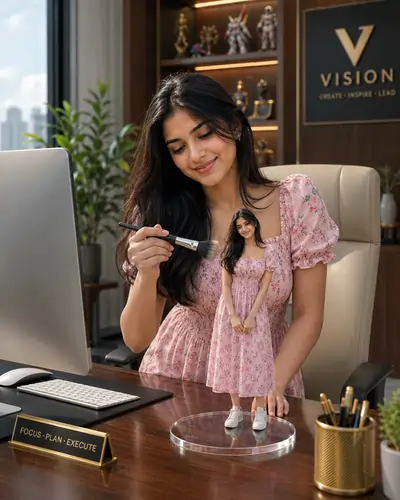
7. Behind-The-Scenes Movie Production

Master Guide Overview
- 1. The Fascination with Miniature Collectibles
- 2. Prompt Engineering: Mastering Macro Photography
- 3. Identity Lock: Preserving Facial Authenticity
- 4. Rendering Materials: Acrylic, Resin, and Lighting
- 5. Avoiding Artificial Artifacts and Watermarks
- 6. The Ultimate Miniature Figure Prompt Library
- 7. Frequently Asked Questions
PromptSeen AI के साथ जुड़ें
रोज़ नए वायरल AI प्रॉम्प्ट, सबसे पहले आपके पास
8. Frequently Asked Questions
How do I make the miniature figure look exactly like my reference photo?
To preserve exact facial identity, utilize character reference parameters and explicitly command the AI to preserve the exact facial features, hairstyle, and expression. A high-quality, front-facing reference photo is mandatory.
What camera settings should I include in a miniature figure prompt?
For convincing miniature photography, simulate a macro lens effect. Include terms like macro photography, shallow depth of field, tilt-shift effect, and f/2.8 aperture to naturally blur the background.
Why does my AI figurine look like a real human instead of a toy?
The AI needs material context. Specify materials like premium PVC, acrylic base, resin texture, and plastic skin finish to ensure the output looks like a manufactured collectible rather than human flesh.
Can I prevent AI watermarks or strange symbols from appearing on the toy base?
Yes. Add 'clean digital media, no watermarks, blank acrylic base, no text, no logos' to your negative prompt instructions to prevent the engine from generating fake brand text.
What is the best lighting setup for product photography prompts?
Studio lighting works best for collectibles. Phrases like cinematic lighting, softbox illumination, rim lighting, and museum-quality spotlights help highlight the glossy plastic textures.
Is it possible to generate two versions of the same person in one image?
Yes, this is the creator and creation dynamic. Our templates are structured to render the real-life person interacting with their miniature counterpart by defining the 1/7 scale difference.