3. Premium Family Photo Prompts Library
Below is our exclusive collection of AI structural templates. To use these effectively, you must upload an existing reference photo of your family into Gemini or ChatGPT, and paste the corresponding text block exactly as written below.
1. Indian Luxury Family Portrait
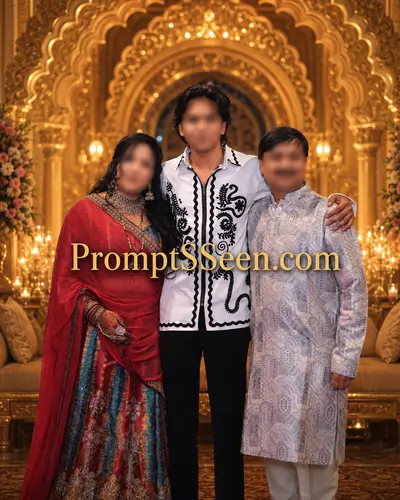
Use the uploaded family photograph to create a luxurious Indian family portrait. IMPORTANT: Keep every family member's face, hairstyle, skin tone, body shape, expressions, clothing, jewelry, and accessories exactly as they are in the original photo. Do not change, redesign, replace, recolor, enhance, or modify any clothing. Do not add extra people, children, guests, relatives, photographers, or background characters. Create an elegant royal Indian portrait with a premium luxury atmosphere. Beautiful palace-inspired architecture, soft golden ambient lighting, cinematic depth, sophisticated decor, subtle floral accents, and refined Indian heritage aesthetics. Ultra-realistic photography, luxury fine-art portrait style, rich details, natural skin texture, perfect facial preservation, high-end professional retouching, shallow depth of field, magazine-quality finish. Balanced composition with all family members prominently featured. Premium wedding album quality, Karizma album style, timeless and elegant presentation. 8K resolution, ultra-detailed, photorealistic, masterpiece quality.
2. Traditional Indian Portrait Version
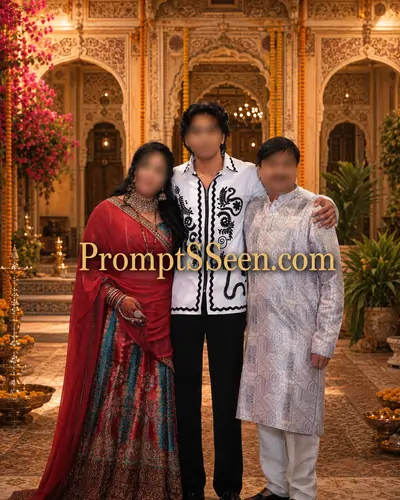
3. Modern Luxury Studio Version
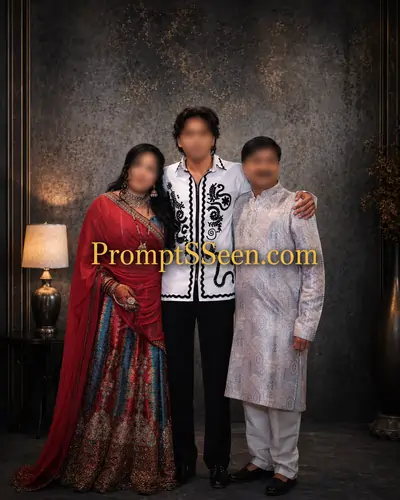
4. Traditional Indian Wear Portrait
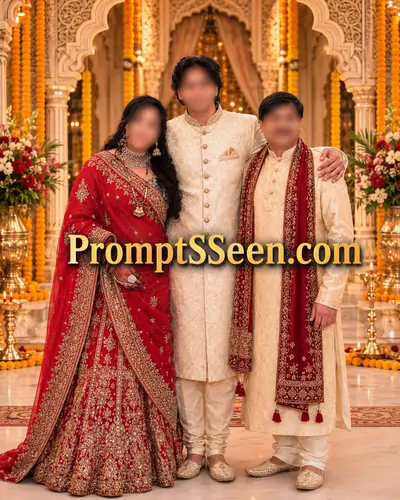
5. Royal Maharaja Family Version
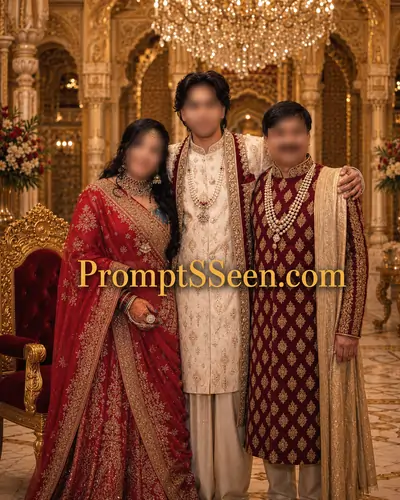
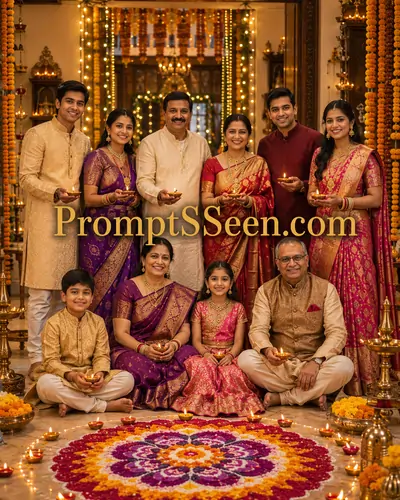
6. Festival Family Portrait Version
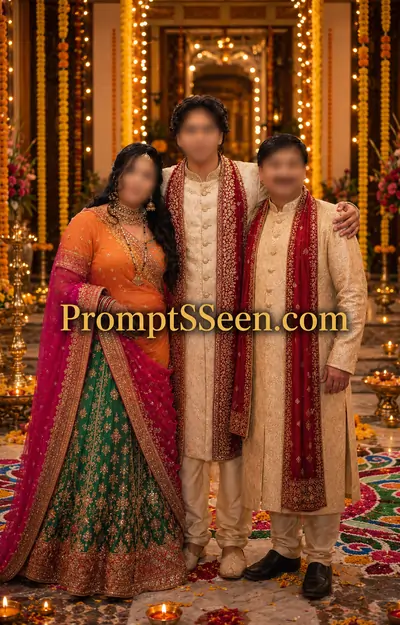
7. Royal Palace Family Portrait
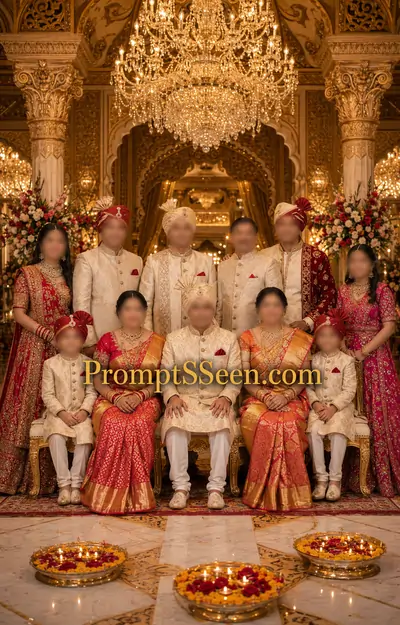
8. Heritage Haveli Family Portrait
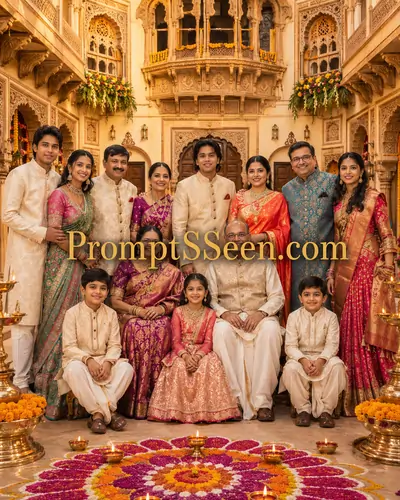
9. Diwali Celebration Family Portrait
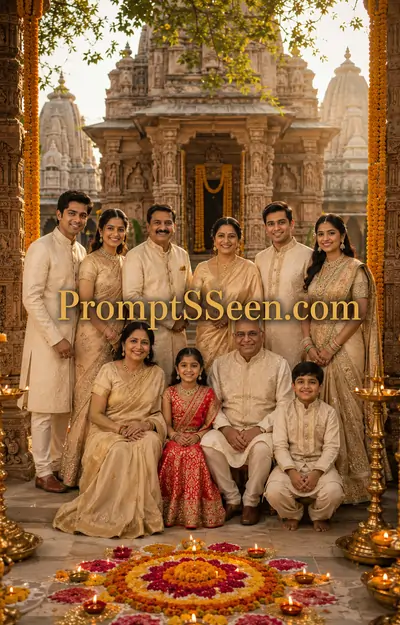
10. Temple Traditional Portrait
Master Guide Overview
- 1. The Evolution of Family Photography in the AI Era
- 2. Why Generating Indian Family Portraits is Challenging
- 3. Premium Family Photo Prompts Library
- 4. The Secret to Facial Consistency (Image-to-Image)
- 5. Directing Cultural Wardrobe and Heritage Elements
- 6. Lighting and Camera Specifications for Realism
- 7. Related AI Generators & Prompts
- 8. Frequently Asked Questions (FAQ)
1. The Evolution of Family Photography in the AI Era
Gathering the entire family for a professional photoshoot has always been a logistical nightmare. Between coordinating schedules, matching traditional outfits, dealing with crying children, and finding the perfect royal backdrop, capturing the flawless portrait seems nearly impossible. Today, artificial intelligence offers an incredible alternative. By mastering specific family photo prompts, you can take an ordinary, casual group selfie from your phone and transform it into a breathtaking, cinematic masterpiece without anyone having to leave their living room.
The rise of advanced generative models like Google Gemini Advanced and ChatGPT's DALL-E 3 has fundamentally changed digital memory preservation. However, creating a flawless AI family portrait requires much more than simply asking the machine for a picture. You must communicate with the AI using precise architectural, lighting, and cultural vocabulary to prevent the image from looking like a synthetic, cartoonish rendering.
2. Why Generating Indian Family Portraits is Challenging
Generative AI models are trained on massive global datasets. When a user inputs a generic request for a "family portrait," the algorithm heavily leans toward westernized, highly idealized averages—often generating plain studio backgrounds and standard modern clothing. To render an authentic Indian aesthetic, your family photo prompts must act as strict boundaries that guide the algorithm's cultural context.
Furthermore, one of the biggest hurdles in AI group generation is "algorithmic hallucination." If you ask for a grand royal setting, the AI often tries to populate the empty background space by adding random extra guests, relatives, or photographers. The curated structural templates below are rigorously engineered with negative constraints and strict instructions to ensure your family remains the sole, stunning focal point of the artwork.
PromptSeen AI के साथ जुड़ें
रोज़ नए वायरल AI प्रॉम्प्ट, सबसे पहले आपके पास
4. The Secret to Facial Consistency (Image-to-Image)
The single most frustrating aspect of generating an AI portrait of real people is losing their likeness. If you paste a descriptive text block without a reference file, the AI will generate entirely fictitious humans. To preserve your loved ones' identities, you must engage a workflow known as Image-to-Image (I2I).
Begin by uploading your original family photograph into your chosen platform's input box. Once the image is attached, append the exact family photo prompts provided above. The crucial keywords located at the top of our templates—such as "Preserve every family member's facial features, identity, skin tone, hairstyle"—act as algorithmic anchors. They mathematically instruct the engine to focus its creative variations exclusively on the background and lighting, leaving your family's real faces completely untouched.
5. Directing Cultural Wardrobe and Heritage Elements
If you desire a wardrobe upgrade within your digital photoshoot, your linguistic directives must be incredibly specific. The AI relies entirely on the keywords you feed it to understand cultural nuance. Instead of requesting a vague "wedding dress," our templates utilize explicit terminology.
By commanding the rendering engine to generate "luxurious embroidered sherwanis," "exquisite silk sarees," and "traditional royal Indian outfits," you ensure the generated fabrics reflect authentic South Asian heritage. Furthermore, injecting words like "intricate carvings," "royal pillars," and "floral decorations" creates an immersive, festive Indian atmosphere that grounds the portrait in cultural realism.
6. Lighting and Camera Specifications for Realism
A flawless facial match means nothing if the overall image looks like a plastic digital painting. The defining characteristic of premium wedding album photography is how the camera lens interprets light and shadow. To transition your generation from basic AI art to a high-end luxury editorial, you must apply strict camera parameters.
Our structures explicitly instruct the AI to utilize "shallow depth of field," "soft cinematic lighting," and "ultra-realistic details." These exact modifiers force the generative model to blur out distant background elements (creating bokeh) while keeping the family members in tack-sharp focus. Combining these with "8K resolution" guarantees a masterpiece finish suitable for large-format printing and framing.
7. Related AI Generators & Prompts


8. Frequently Asked Questions (FAQ)
How do I maintain my family's real faces in AI portraits?
To keep your real faces, you must use an Image-to-Image (I2I) generation method. Upload your original family photo as a reference, and use strict prompt instructions like 'Preserve all faces, identity, and skin tones exactly as in the original photo' without altering facial structure.
What are the best family photo prompts for Indian attire?
The best prompts explicitly name the traditional clothing. Use terms like 'luxurious embroidered sherwanis', 'exquisite silk sarees', 'designer lehengas', and 'traditional royal Indian outfits' to ensure the AI engine pulls culturally accurate data.
Why does the AI sometimes add extra people to my family portrait?
AI models often fill empty space with crowd elements if the environment is described as 'grand' or 'festive'. To prevent this, your prompt must include explicit negative constraints like 'Do not add extra people, guests, or background characters'.
Can I use these prompts on both Gemini and ChatGPT?
Yes. These structural templates are optimized for modern large vision models. They work exceptionally well in Google Gemini Advanced and ChatGPT (DALL-E 3) when you upload a reference photo alongside the text.
How can I make the AI family photo look like a real studio portrait?
Add photography-specific keywords to the end of your prompt. Terms such as '8K resolution', 'shallow depth of field', 'soft cinematic lighting', 'premium wedding album quality', and 'ultra-detailed photorealistic' will force a studio-grade output.
Is it possible to change the background without changing our clothes?
Absolutely. Use a prompt that specifically commands the AI: 'Do not change, redesign, or replace any clothing.' Then, follow it up with a detailed description of the new background, such as a 'Grand Indian heritage palace setting'.