1. YouTube Description Extractor: Free AI Title & Description Tool
Welcome to the ultimate tool for content creators, digital marketers, and curious viewers. Have you ever watched a video and needed to grab a recipe, copy a software command, or save a list of affiliate links, only to find that copying text from the mobile app is incredibly frustrating? Our free AI YouTube title & description extractor solves this problem instantly. By simply pasting a URL, this web-based utility pulls the exact metadata associated with any public video, allowing you to access and save vital information without any hassle.
2. What is a YouTube Description Extractor?
A youtube description extractor is a specialized online utility that interacts directly with the platform's API (Application Programming Interface). Instead of forcing you to highlight text manually on a crowded web page—which often leads to accidentally clicking links or pausing the video—the extractor bypasses the frontend interface. It retrieves the raw text data that the creator uploaded. This ensures that you get the complete youtube description text exactly as it was written, preserving line breaks, bullet points, and special characters.
3. Why You Need to YouTube Description Copy and Paste
The ability to perform a youtube description copy and paste operation is crucial for several reasons. Creators frequently use the description box as a resource hub. They include:
- Important timestamps to help viewers navigate long videos or podcasts.
- Detailed instructions, recipes, or coding snippets.
- Affiliate links to products mentioned in the video.
- Links to their other social media platforms and websites.
Trying to manually type out a long URL or a complex block of code from a video description is tedious. Using a youtube description copy tool ensures you capture the information accurately and instantly.
4. Extracting YouTube Description Text Safely
When you use a tool to extract youtube description data, you might wonder about the safety and legality of the process. Our free youtube description extractor is completely safe. It only accesses publicly available metadata that the creator has chosen to share with the world. It does not hack into private accounts or bypass paywalls. It simply acts as a youtube description downloader that formats the public description text into an easily readable and copyable interface for your personal use and research.
5. Utilizing the YouTube Title Extractor
While the description is vital, the title is the hook. That is why our tool doubles as a youtube title extractor. Often, marketers want to compile a list of high-performing video titles to analyze click-through rates (CTR) and keyword placement. Instead of manually typing out titles into a spreadsheet, our youtube video title extractor pulls the exact title string. You can use the dedicated "Copy Title" button to quickly grab this youtube title copy and speed up your content research.
6. YouTube Channel Description Extractor Online Free
It is important to differentiate between video metadata and channel metadata. While this specific tool focuses on individual videos, many users search for a youtube channel description extractor online free to understand a creator's overarching brand strategy. The "About" section of a channel provides a broad overview of their niche. However, the most actionable SEO data—the specific tags, targeted keywords, and episode-specific links—is found by using a video description extractor on their most popular uploads.
7. Dedicated Video Description Extractor Features
What makes a great youtube description extractor online? It needs to be fast, reliable, and platform-agnostic. Our youtube video metadata extractor is built to handle complex URLs, including those with tracking parameters or playlist IDs. It cleanly strips away the unnecessary URL clutter to find the core video ID, ensuring that you get the description copy you need without dealing with "Video Not Found" errors.
8. How to Extract YouTube Title & Description Together
Efficiency is key when conducting competitor research. You rarely need just the title or just the description; you need to see how they work together to satisfy search intent. By using our tool to extract youtube title and description simultaneously, you can analyze the creator's strategy holistically. Do they repeat the primary keyword from the title in the first sentence of the description? Do they use supporting hashtags? Our youtube video information extractor gives you the full picture instantly.
9. YouTube Description Extractor for Shorts
The rise of short-form content has changed how we consume media. However, many older tools struggle with the new URL structures. Our updated engine fully supports YouTube Shorts. If you find a Short with an interesting affiliate link or a list of resources, you can paste the Shorts URL directly into our youtube description finder. The process works exactly the same, allowing you to access metadata that is notoriously difficult to copy natively on mobile devices.
10. Using YouTube Description for SEO Research
One of the most powerful use cases for a youtube seo extractor is competitive analysis. If you want to rank for a specific term, you need to study the videos already ranking on page one. Use our youtube competitor analysis tool to extract their descriptions. Look for:
- SEO Keywords: How often do they mention the target topic?
- Structure: Do they use paragraphs, bullet points, or timestamps?
- Call to Action: How do they encourage viewers to subscribe or click links?
Important Note: You should use the extracted text for research and inspiration only. Verbatim copying and republishing someone else's description is bad practice and can harm your channel's standing. Always craft original metadata based on your findings.
11. How to Extract YouTube Description (Step-by-Step)
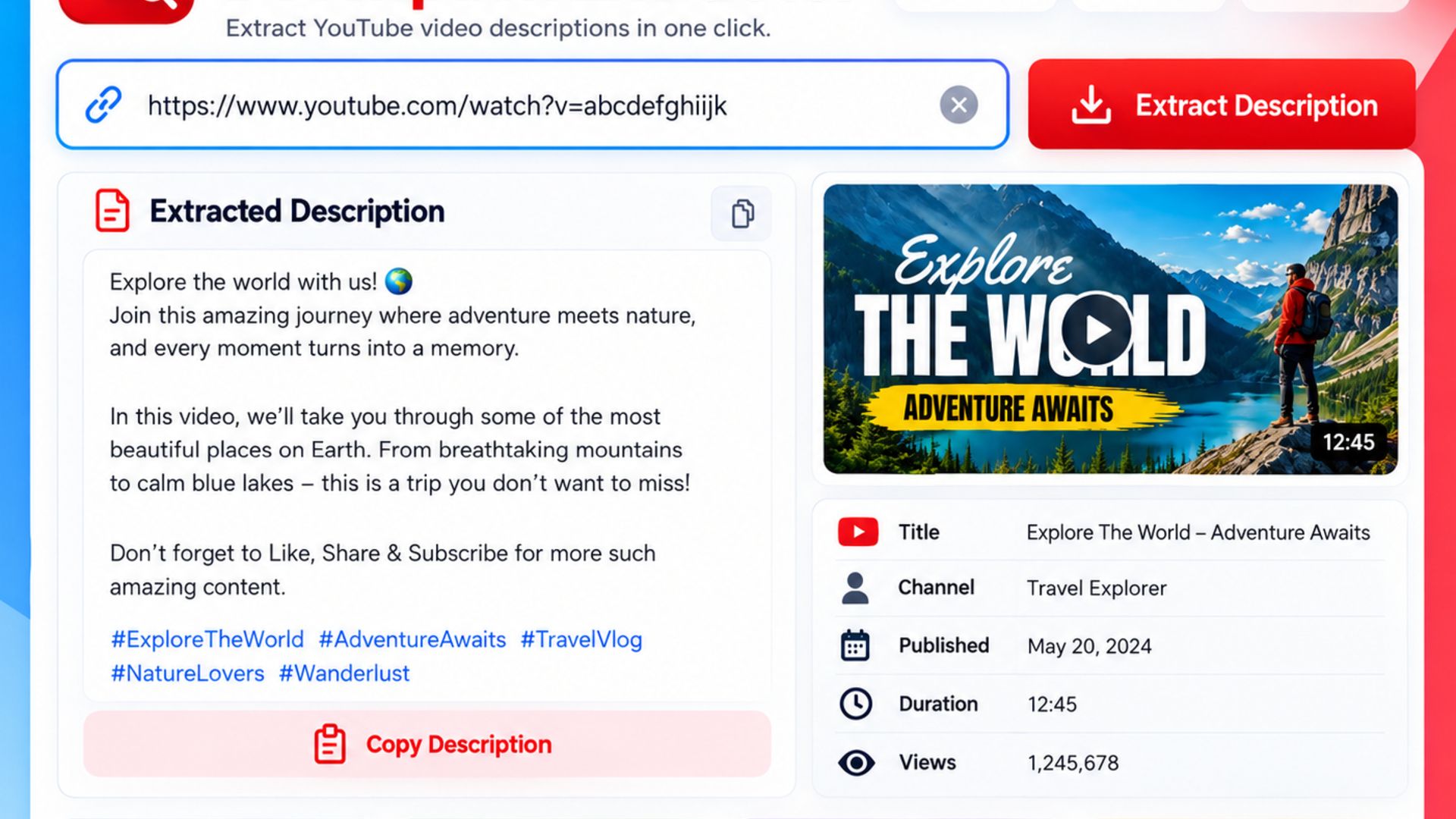
Using our youtube description extractor free tool is incredibly straightforward. Follow this simple workflow:
Step 1: Find the Public YouTube Video or Short you want to analyze.
Step 2: Click the "Share" button and select "Copy Link" to get the Video URL.
Step 3: Paste the copied link into the input box at the top of this page.
Step 4: Click the "Extract Data" button. The tool will process the request.
Step 5: Use the provided buttons to easily Title Copy or Description Copy to your clipboard.
This streamlined process eliminates the need to manually highlight text, making your research phase significantly faster.