1. WhatsApp New Update 2026 – Viral YouTube Thumbnail
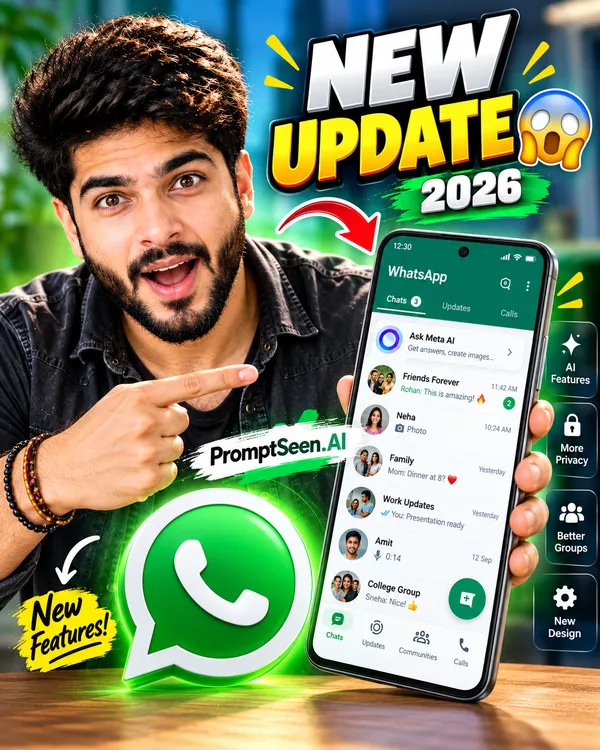
When WhatsApp drops a major update, you need to be the first to cover it. This prompt generates a shocked, expressive portrait of you pointing toward a massive, updated smartphone UI, ensuring viewers instantly understand the video's value.
Create a high-click-through YouTube thumbnail about "WhatsApp New Update 2026" using the uploaded photo as the main person. Preserve the person's face, identity, hairstyle, skin tone, and overall appearance accurately. Place the person prominently on one side with an excited and surprised facial expression, naturally pointing toward a large WhatsApp logo. On the other side, show a modern smartphone displaying a realistic-looking new WhatsApp interface, with fresh chat UI elements, updated icons, and a clean modern design. Add bold, highly readable text: "NEW UPDATE 😱" in large white and yellow lettering with a strong outline and subtle 3D effect. Create a bright, energetic, professional YouTube thumbnail composition with strong visual contrast, dramatic lighting, depth, glow effects, and a clean background. Make the WhatsApp logo large and instantly recognizable. Keep the composition uncluttered and mobile-screen friendly. 16:9 aspect ratio, ultra-detailed, photorealistic, sharp, professional YouTube thumbnail, high-impact composition, 4K quality.
Creating a high-click-through rate (CTR) YouTube thumbnail for WhatsApp-related content requires a perfect balance of curiosity, bold typography, and recognizable interface elements. As a YouTube creator, capturing your audience's attention when explaining new updates, hidden features, or chat tricks is absolutely crucial.
With generative AI tools like Gemini and ChatGPT, you no longer need complex Photoshop skills. By using a precise youtube thumbnail prompt for whatsapp, you can instruct the AI to generate professional, viral-style 16:9 thumbnails featuring your own face reacting to exciting WhatsApp updates, secret messages, and privacy settings.
2. WhatsApp Hidden Features – 5 Secret Features
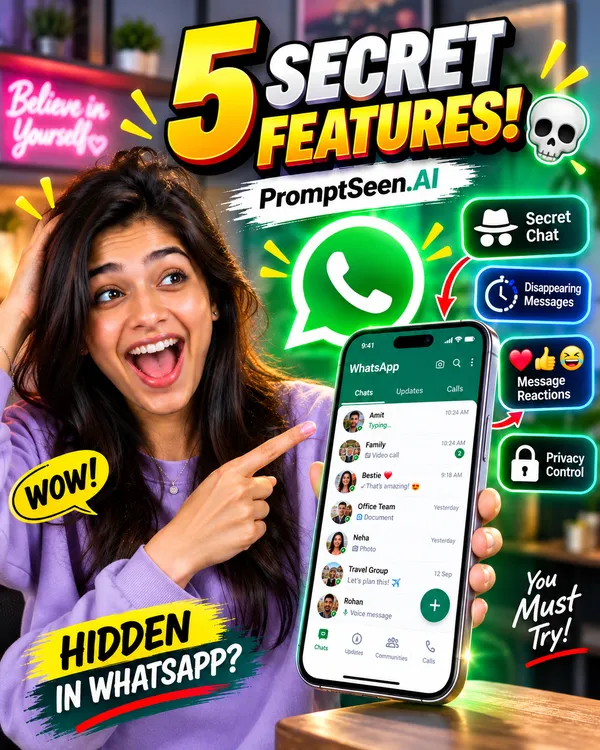
Curiosity drives clicks. This ai youtube thumbnail prompt surrounds your device with glowing, recognizable feature symbols (like locks or disappearing messages), visually teasing the secrets you are about to reveal.
Create a high-CTR YouTube thumbnail about "WhatsApp Hidden Features" using the uploaded photo as the main person. Preserve the person's face, identity, hairstyle, skin tone, clothing, and natural appearance accurately. Show the person with a surprised and curious expression, looking toward a smartphone.
Place a large modern smartphone prominently in the composition, displaying a realistic WhatsApp-style chat interface. Around the phone, add 3–4 eye-catching hidden-feature icons such as a secret chat/privacy symbol, disappearing messages icon, message reaction icon, and privacy lock icon. Make the icons visually distinct and easy to understand at thumbnail size.
Add bold, large, highly readable text: "5 SECRET FEATURES!" with a strong outline, subtle 3D depth, and attention-grabbing typography. Include a recognizable WhatsApp-style visual identity without overcrowding the design.
Use a bright, fresh, modern color palette, energetic lighting, realistic shadows, subtle glow effects, strong depth, and a clean professional background. Create an exciting "secret features revealed" feeling while keeping the composition simple and instantly understandable.
Photorealistic, ultra-sharp, professional YouTube thumbnail, high contrast, cinematic lighting, detailed smartphone, expressive face, clean composition, 4K quality, 16:9 aspect ratio.
3. WhatsApp New Feature
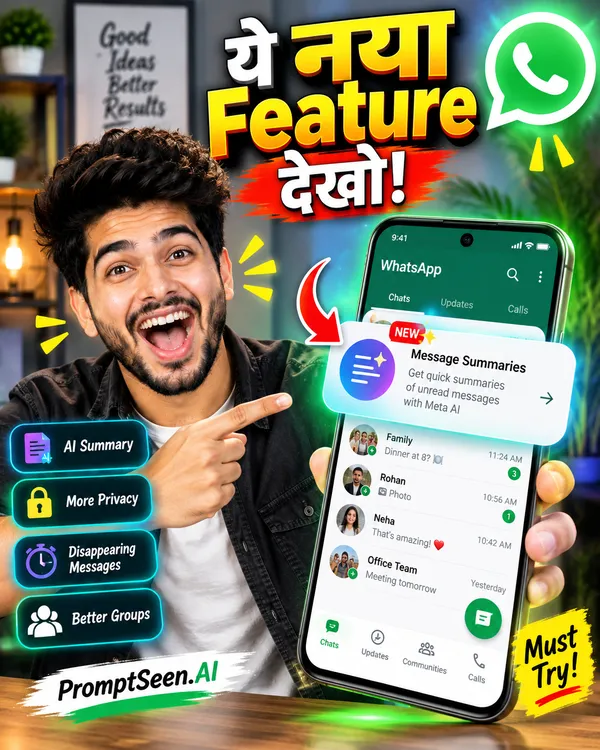
Target your regional audience perfectly! This instruction commands the AI to generate flawless Hindi typography ("ये नया Feature देखो!") emerging alongside a bright notification pop-up from the phone.
Create a highly engaging **YouTube thumbnail about a new WhatsApp feature** using the uploaded picture as the **main subject**. Preserve the person's face, identity, hairstyle, skin tone, clothing, and overall appearance accurately. Show the person with an **excited, surprised, and curious expression**, looking toward the smartphone screen.
Place a large modern smartphone beside the person, displaying a realistic **WhatsApp chat screen** with a clearly visible new feature. Add a **bright glowing notification** or notification pop-up emerging from the phone, creating the feeling that something important and new has just appeared.
Add bold Hindi text: **"ये नया Feature देखो!"** in large, highly readable typography. Make **"नया Feature"** especially prominent, with a strong outline, subtle 3D depth, and eye-catching glow.
Use a **bright, fresh, modern color palette** with clean visual contrast. Add subtle light rays, glow effects, realistic shadows, depth, and cinematic lighting. Keep the background clean and uncluttered so the face, smartphone, WhatsApp interface, notification, and text immediately grab attention.
Create a **professional, viral-style YouTube thumbnail**, photorealistic person, realistic smartphone, sharp details, expressive face, high-impact composition, mobile-friendly text readability, **4K quality, 16:9 aspect ratio**.
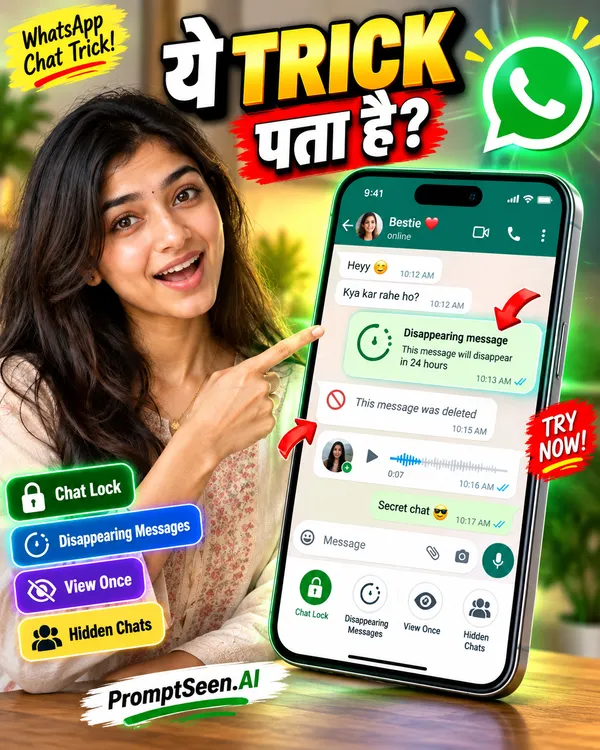
4. WhatsApp Chat Trick
Direct the viewer's eye exactly where you want it. This whatsapp chat trick thumbnail template uses dynamic attention arrows pointing directly to a specific, highlighted message bubble within the UI.
Create a highly engaging **YouTube thumbnail about a WhatsApp Chat Trick** using the uploaded picture as the **main subject**. Preserve the person's face, identity, hairstyle, skin tone, clothing, and overall appearance accurately. Show the person with a **surprised, curious, and slightly excited expression**, looking toward the large WhatsApp chat window.
Place a **large WhatsApp-style chat window** prominently beside the person, showing realistic message bubbles with one particular message or chat feature highlighted as the main trick. Add **2–3 bold attention arrows** pointing directly toward the important message bubbles and the hidden chat feature. Use subtle glow and highlight effects around the selected message to make it instantly noticeable.
Add large, bold Hindi text: **"ये TRICK पता है?"** Make **"TRICK"** especially prominent with strong contrast, a thick outline, subtle 3D depth, and an eye-catching effect.
Use a **bright, modern, fresh color palette**, clean background, dynamic composition, realistic shadows, cinematic lighting, subtle glow effects, and strong depth. Keep the design uncluttered and make the face, chat window, arrows, and text clearly visible even on a small mobile screen.
Create a **professional, high-CTR YouTube thumbnail**, photorealistic person, realistic smartphone/chat interface, sharp details, expressive face, energetic composition, 4K quality, **16:9 aspect ratio**.
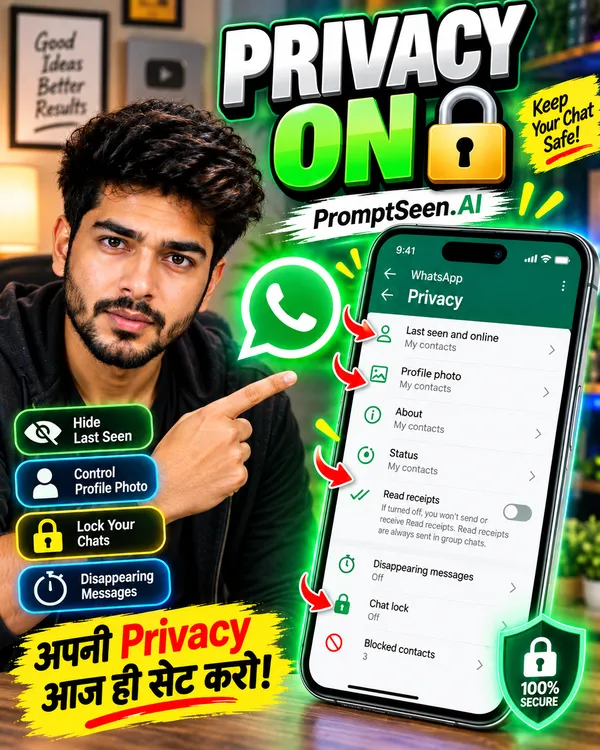
5. WhatsApp Privacy Settings – PRIVACY ON
Security is a hot topic. This prompt tells the AI to generate a glowing digital lock and shield effect around your smartphone, visually communicating that your video solves major security concerns.
Create a highly engaging **YouTube thumbnail about WhatsApp Privacy Settings** using the uploaded picture as the **main subject**. Preserve the person's face, identity, hairstyle, skin tone, clothing, and overall appearance accurately. Show the person with a **serious, surprised, and alert expression**, looking toward the privacy settings screen.
Place a large modern smartphone beside the person, displaying a realistic **WhatsApp Privacy Settings screen** with privacy-related options such as profile photo visibility, last seen, online status, and chat privacy. Make the settings interface clean, modern, and easy to recognize without making the text too small.
Add a prominent **digital lock and shield effect** around the smartphone, with a glowing security ring and subtle protection/light effects, visually communicating privacy and security. Add a few small attention arrows pointing toward the important privacy options.
Add bold, large text: **"PRIVACY ON 🔒"**. Make **"PRIVACY ON"** highly prominent with strong contrast, thick outline, subtle 3D depth, and a bright glow effect. Keep the lock emoji clearly visible.
Use a **bright, clean, modern color palette**, dynamic composition, realistic shadows, cinematic lighting, subtle glow, and strong depth. Avoid a dark or overly complicated background. Make the person's face, phone, lock/shield effect, and text instantly visible on mobile screens.
Create a **professional, high-CTR YouTube thumbnail**, photorealistic person, realistic smartphone interface, sharp details, expressive face, polished composition, 4K quality, **16:9 aspect ratio**.
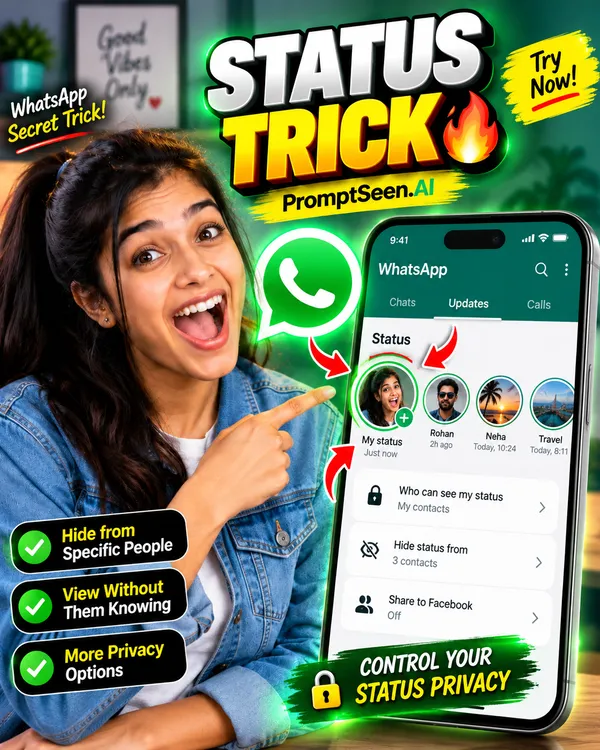
6. WhatsApp Status Trick – STATUS TRICK
Give your audience an exclusive look into hidden status updates! This prompt generates an eye-catching glowing ring around a status profile, complete with dynamic arrows pointing to the exact "trick" feature.
Create a highly engaging **YouTube thumbnail about a WhatsApp Status Trick** using the uploaded picture as the **main subject**. Preserve the person's face, identity, hairstyle, skin tone, clothing, and overall appearance accurately. Show the person with an **excited, surprised, and curious expression**, looking toward the WhatsApp Status interface.
Place a large modern smartphone beside the person, displaying a realistic **WhatsApp Status interface** with a visible status update and profile/status elements. Surround the main status profile image with a **large, bright circular status ring**, making it the central visual focus. Add subtle glowing effects around the ring to make it stand out.
Add **2–3 dynamic attention arrows** pointing toward the status ring and the important status area, creating a strong "hidden trick" feeling.
Add bold, large text: **"STATUS TRICK 🔥"**. Make **"STATUS TRICK"** extremely prominent with thick lettering, strong outline, subtle 3D depth, and an energetic glow effect. Keep the 🔥 emoji clearly visible.
Use a **bright, fresh, modern color palette**, clean background, realistic shadows, cinematic lighting, subtle glow effects, and strong depth. Keep the composition uncluttered and mobile-friendly, with the person's face, smartphone, status ring, arrows, and text immediately visible.
Create a **professional, high-CTR YouTube thumbnail**, photorealistic person, realistic smartphone interface, sharp details, expressive face, dynamic composition, polished visual design, 4K quality, **16:9 aspect ratio**.
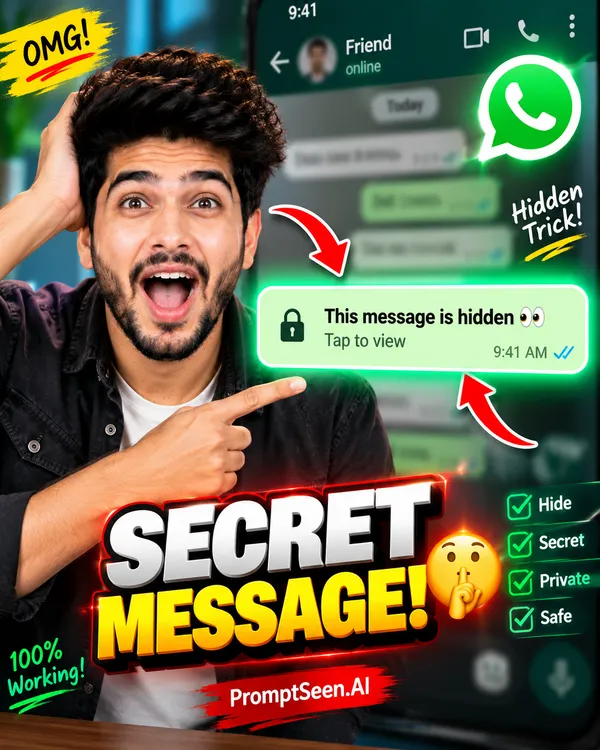
7. WhatsApp Message Secret – SECRET MESSAGE!
Nothing builds curiosity like a hidden conversation. This ai youtube thumbnail prompt brilliantly blurs the background chat interface while placing a glowing, hyper-focused "secret message" bubble right in the foreground.
Create a highly engaging **YouTube thumbnail about a secret WhatsApp message trick** using the uploaded picture as the **main subject**. Preserve the person's face, identity, hairstyle, skin tone, clothing, and overall appearance accurately. Show the person with a **shocked, surprised, and curious expression**, looking toward the highlighted message bubble.
Place a large **WhatsApp-style chat interface** behind the person with the chat conversation intentionally **blurred in the background**, creating a mysterious and secretive feeling. Keep the background chat recognizable as a messaging interface but make the individual messages unreadable.
Add one **large highlighted message bubble** in sharp focus in the foreground. Surround it with a bright glow, subtle spotlight, and a thin emphasis outline so it immediately attracts attention. Add **2 dynamic attention arrows** pointing toward the highlighted message bubble.
Add bold, large text: **"SECRET MESSAGE!"** Make the text highly prominent with strong contrast, thick outline, subtle 3D depth, and an eye-catching glow effect.
Use a **bright, modern, visually exciting color palette** with clean composition and strong depth. Keep the design professional and uncluttered. Make the person's face, highlighted message, arrows, and headline clearly visible even at small YouTube thumbnail size.
Create a **professional, high-CTR YouTube thumbnail**, photorealistic person, realistic WhatsApp-style chat interface, cinematic lighting, sharp details, dramatic focus, polished composition, 4K quality, **16:9 aspect ratio**.
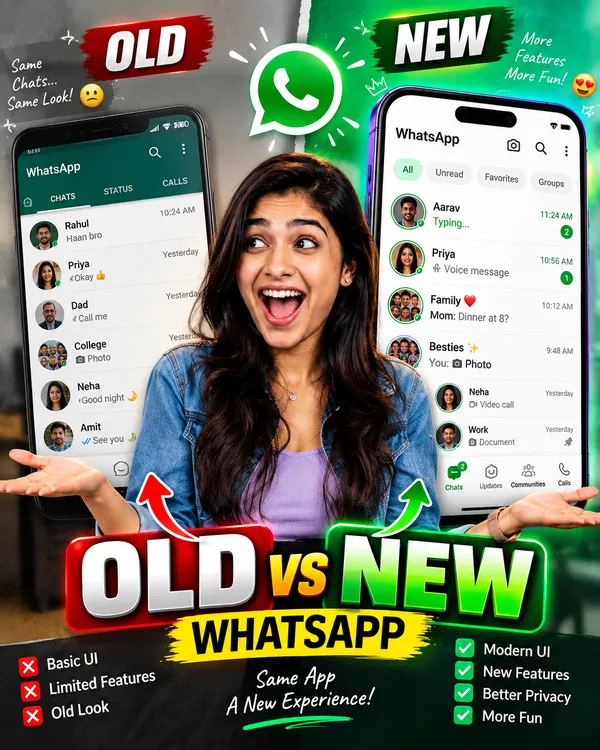
8. WhatsApp Before vs After – OLD vs NEW
Comparisons are a proven strategy for high click-through rates. By visually splitting the thumbnail into an older, outdated WhatsApp UI and the sleek new update, viewers immediately want to see the transformation.
Create a highly engaging **YouTube thumbnail about "WhatsApp Before vs After"** using the uploaded picture as the **main subject**. Preserve the person's face, identity, hairstyle, skin tone, clothing, and overall appearance accurately.
Divide the thumbnail into **two clearly separated visual sections** representing **OLD vs NEW**. Place the uploaded person prominently in the center or slightly overlapping both sections, with a **surprised and curious expression**, looking between the two WhatsApp interfaces.
On the **left side**, display an **older WhatsApp-style interface** with a classic, simpler chat layout and older-looking UI elements. Add a small **"OLD"** label.
On the **right side**, display a **modern/new WhatsApp-style interface** with a fresh, updated-looking chat screen, modern icons, cleaner design, and newer interface elements. Add a small **"NEW"** label.
Create a strong visual separation between the two sides using a clean dividing line or dynamic transition effect. Add subtle arrows or comparison indicators showing the visual change from old to new.
Add large, bold headline text: **"OLD vs NEW"**. Make it extremely readable, with strong contrast, thick outline, subtle 3D depth, and professional YouTube-thumbnail typography.
Use a **bright, fresh, modern and colorful design**, with each side visually distinct while maintaining a cohesive composition. Add realistic shadows, cinematic lighting, subtle glow effects, depth, and sharp details. Keep the background clean and avoid unnecessary elements.
The final thumbnail should look **professional, eye-catching, realistic, and optimized for YouTube**, with the person's face, OLD interface, NEW interface, and headline immediately understandable on a small mobile screen.
**Photorealistic person, realistic smartphone UI, sharp details, dynamic composition, polished graphic design, high visual impact, 4K quality, 16:9 aspect ratio.**
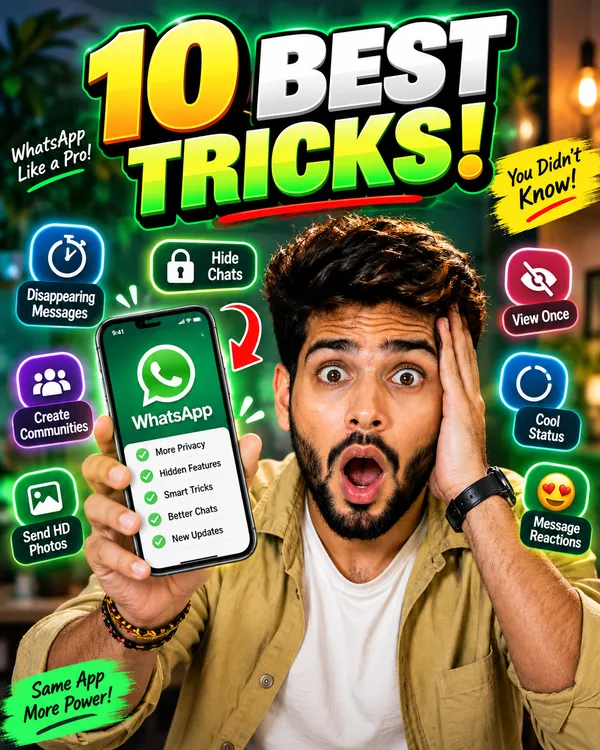
9. WhatsApp Tips & Tricks – 10 BEST TRICKS!
If you are making a listicle-style video, you need a thumbnail that looks packed with value. This template dynamically arranges floating chat bubbles, privacy icons, and notification symbols around your smartphone.
Create a highly engaging **YouTube thumbnail about WhatsApp Tips & Tricks** using the uploaded picture as the **main subject**. Preserve the person's face, identity, hairstyle, skin tone, clothing, and overall appearance accurately.
Show the person prominently holding a **modern smartphone in one hand**, with an **excited, confident, and surprised expression**, looking toward the phone or the feature icons around it.
Surround the person and smartphone with several attractive **WhatsApp-style icons, chat bubbles, notification symbols, privacy/lock icons, message reaction icons, status symbols, and useful feature graphics**. Arrange around **5–7 feature symbols** dynamically around the smartphone without making the thumbnail overcrowded.
Add a large, bold headline: **"10 BEST TRICKS!"** Make the text the main attention-grabbing element, using thick professional typography, strong contrast, a clean outline, subtle 3D depth, and a bright energetic glow.
Add a few **dynamic attention arrows** pointing toward the smartphone and selected feature icons to create a strong "hidden tricks" discovery feeling.
Use a **bright, fresh, modern color palette** with a clean background, realistic shadows, cinematic lighting, subtle glow effects, and strong depth. Keep the person's face and smartphone clearly visible and make the headline highly readable even at small YouTube thumbnail size.
Create a **professional, high-CTR YouTube thumbnail**, photorealistic person, realistic smartphone, polished graphic design, sharp details, energetic composition, visually balanced layout, 4K quality, **16:9 aspect ratio**.
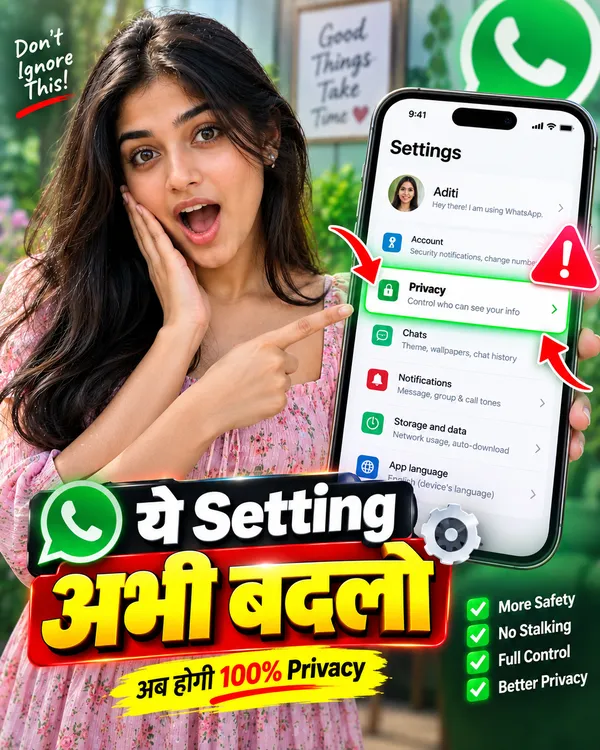
10. WhatsApp Setting – ये Setting अभी बदलो!
Urgency drives clicks! This Hindi typography prompt uses strong warning elements and bright red highlights to alert users about a critical WhatsApp setting they need to change immediately.
Create a highly engaging **YouTube thumbnail about an important WhatsApp setting** using the uploaded picture as the **main subject**. Preserve the person's face, identity, hairstyle, skin tone, clothing, and overall appearance accurately.
Show the person prominently with a **surprised, shocked, and urgent expression**, pointing toward a large smartphone screen displaying a **WhatsApp Settings interface**. Make one specific settings option visually highlighted with a bright glowing outline, spotlight effect, or attention marker so viewers immediately understand that the thumbnail is focused on one important setting.
Add a large **red-style alert indicator, warning symbol, or attention graphic** near the highlighted setting, while keeping the overall design clean and professional. Add 2 dynamic arrows pointing toward the important setting.
Add bold Hindi headline text exactly: **"ये Setting अभी बदलो"**. Make **"अभी बदलो"** especially large and attention-grabbing, with thick professional typography, strong outline, subtle 3D depth, and high contrast.
Use a **bright, fresh, modern color palette**, clean background, realistic smartphone details, cinematic lighting, subtle glow effects, realistic shadows, and strong depth. Avoid an overly dark background and keep the composition uncluttered.
The final thumbnail should create a sense of **importance and curiosity without looking misleading**, with the person's face, highlighted WhatsApp setting, arrows, and headline clearly visible even at small mobile size.
**Photorealistic person, realistic smartphone interface, expressive face, professional YouTube thumbnail design, sharp details, high visual impact, polished composition, 4K quality, 16:9 aspect ratio.**
11. WhatsApp YouTube Thumbnail Design Ideas
Using a youtube thumbnail prompt for whatsapp allows you to rapidly test different thumbnail concepts for your channel without spending hours in Photoshop. Here is how you can utilize the prompts above to maximize CTR:
New Update & Hidden Features: People love discovering what they didn't know. Use prompts #1 and #2 to generate glowing icons and surprised facial expressions that signal discovery.
Privacy & Security: Prompts like #5 ("PRIVACY ON") utilize psychological triggers. The glowing digital locks and shield effects instantly convey that your video solves a major security concern.
Status & Chat Tricks: Use the targeting arrows from prompts #6 and #7. By pointing directly at a blurred chat bubble or a glowing status ring, you force the viewer to wonder what the trick is.
Before vs After (OLD vs NEW): Prompt #8 is incredibly powerful for visual updates. The stark visual contrast proves to the viewer that something significant has changed in the app.
12. FAQ – WhatsApp YouTube Thumbnail Prompts
Is this considered a YouTube thumbnail prompt generator?
Yes, PromptSeen acts as a free library and YouTube thumbnail prompt generator. You simply copy our optimized text, paste it into tools like ChatGPT or Gemini, and instantly generate high-quality thumbnails.
Which is the best tool for an Instagram reel thumbnail prompt?
While these prompts are designed for 16:9 YouTube videos, you can easily change the aspect ratio instruction at the end of the prompt to "9:16 aspect ratio" to create a perfect Instagram reel thumbnail prompt.
Are these prompt templates free to use?
Yes! Every youtube thumbnail prompt generator free template on our platform is completely free. You can copy, modify, and use them for your channel without any restrictions.
Will a thumbnail prompt for ChatGPT preserve my face?
Yes. If you are using a Thumbnail prompt for ChatGPT (specifically DALL-E 3) or Gemini, our instructions explicitly command the AI to lock your facial features, skin tone, and hairstyle from the reference photo you upload.
Can I create a Youtube thumbnail ai prompt in Hindi?
Absolutely. Our templates (like Prompt #3 and #10) are specifically designed to generate flawless, highly readable Hindi typography directly inside the image, making them perfect for Indian creators.
Can I use a Thumbnail prompt for Gemini to create text?
Yes, Google Gemini Advanced is excellent at generating text. Our Thumbnail prompt for Gemini instructions ensure the text is large, bold, and outlined for maximum readability on small mobile screens.